writing tool

Hi,
In my ask question page have the html writing tool (picture 1 attached), and I need to change it for the normal write tool (picture 2). I didn´t find where I can change it.
Thanks in advance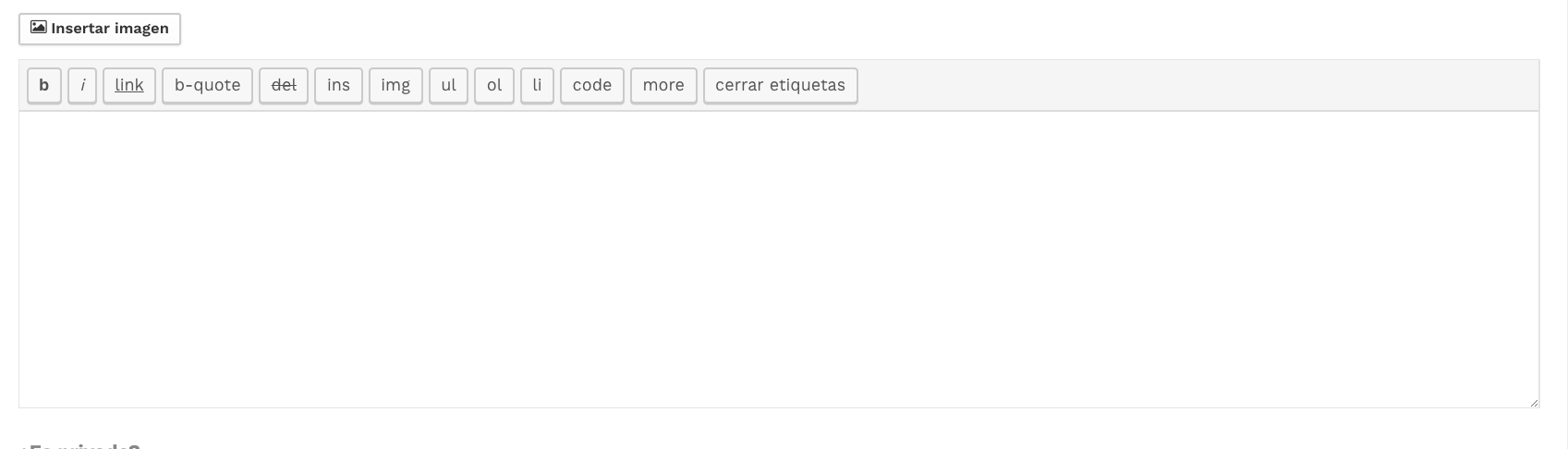


It’s like playing one line draw where you trace shapes in one continuous line; sometimes the simplest solution is right there but you keep overthinking it, and reading this during my coffee break made me chuckle at how we complicate things.

Think you’ve mastered platform games? level devil – not a troll game is here to prove you wrong. With tricky mechanics and unpredictable obstacles, every level becomes a puzzle of timing and courage.
just like getting stuck on a tricky level in a electric man game during my coffee break – makes you wonder how many others hit the same snag in their WordPress projects, huh?

This is usually controlled by the plugin or theme settings, so check your Q&A plugin (like DW Question & Answer or similar) for an option to switch the editor to a WYSIWYG editor.
If you don’t find it there, you may need to enable WordPress’s default editor (TinyMCE) via settings or install a plugin that forces the rich editor on frontend forms. Have fun geometry dash

On my Ask Question page, there is currently an HTML writing tool (see picture 1 attached), but I would like to change it to the normal writing tool instead (as shown in picture 2). I’ve been trying to find where this setting can be changed, but I haven’t been able to locate the option. Could someone please guide me on how to switch from the HTML editor to the standard text editor.
equifax credit score

It sounds like your “Ask Question” page is currently using a rich text (HTML/WYSIWYG) editor, and you want to switch it to a normal plain text editor. transunioncredit login

I guess it’s like that mental age test sometimes the solution’s right in front of you, but you just can’t see it.
I find the solution¡¡¡
There was in the Anspress Options….Comments and publications…edit answer or with tag.
Thanks

I think picture 2 is by default writing tool of anspress.. i have same writing tool, may be you installed other editor which causing issue.. i am using classic editor , you can check by changing editor in plugin..