Hello,
I have a few things to test, I will buy your theme
but before that I have a few wishes
Having problems with Permanent Connections +/question/+ = REMOVE
https://www.seotoplulugu.com/question/question-name/ remove please
Would you tell me how to do it
I use it as my home page
hi, i dont want use “questions” permalinks for my website.
Example, https://demo.anspress.io/askbug/questions/categories/ i want https://demo.anspress.io/askbug/categories/
https://demo.anspress.io/askbug/question/342-this-is-test-syntax/ i want https://demo.anspress.io/askbug/342-this-is-test-syntax/
can you help me?
Best Regards.
hi, i’m sorry cause i repeat the same question but i want to know how can i add custom field at answer form (a really step by step guide if is possible).
I read the orders at this link https://anspress.io/resources/faq/anspress-form-and-validation-api/ but i can’t understand where (in which file) to put a code, how to put a code etc.
If you know and you have time please submit a guide about custom fields………thanks for the support.
purchase issue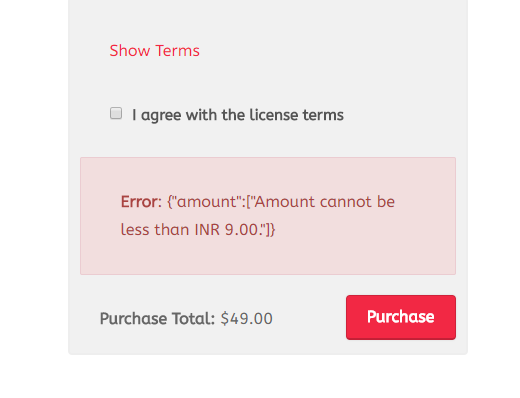
Here’s the link (but, I can’t guarantee that it’ll be live as I’m changing things, finding out what works, and finding “fixes” all the time), but…..
https://woocamp.com/questions/categories/fix-woocommerce-speed/
Here’s a screenshot of what the site looks like on the front end: https://prnt.sc/k25xkr
And, here is what the Visual Tab looks like when editing that same Question Category: https://prnt.sc/k25y46
And, of course the Text Tab as well: https://prnt.sc/k25z7t
There’s going to be a few dozen categories on this site, so I’ve gotta make sure I get this part right. So, why isn’t the html markup appearing as expected on the front end? Any ideas?
Thanks! -Brad
How to add an extra tab in user profile?
Hi,
I have already solved one issue – that JS didn’t work and console showed me that “getUserSetting” is not a function – by calling “utils.js” (with wp_enqueue_script) before calling the plugins.
Now I have other issues:
- The “Insert image” button does not work and even worse –
- when submitting the question it just reloads the page and the question does not enter the database.
Right now I can only add questions/answers from the “settings” but not from the UI.
There are no error messages in the console.
P.S. I am using a multi-site installation with WordPress 4.9.1.
hello, I have a webpage based on wordpress with a lot of posts and post’s comments (1000+ posts, 2000+ comments).
Is there any way to convert comments to answers?