I have left “non-loggedin user cannot see answers.” and “non-loggedin user cannot see comments.” all un-ticked, but site visitors who are not logged in cannot see questions or answers (or comments).
I would like site visitors who are not logged in to be able to view all questions and answers. How do I do this?
Ajax doesn’t work when I try to ask/answer questions from most/all (?) Subscriber accounts.
For example, when I click ‘Post answer’ as an Administrator, I get the ‘Answer submitted successfully’ confirmation. When I do the same as a Subscriber, nothing happens – but the answer is still posted, so you’ll get lots of double/triple posts.
Ajax works fine for the main Administrator. Upgrading a Subscriber to Administrator doesn’t fix the problem, so I don’t think it is necessarily roles related.
I don’t know how to troubleshoot this. Any ideas very welcome.
Browser console says [object error] … invalid cha … “SyntaxError” … anpress-site.min.js (1,2787) … function __defineGetter__() … function __defineSetter__() … description “Invalid Character” … number -2146827274 …
I could provide a browser console screenshot or more details; I don’t know what it all means, what to look for.
I get the exact same anpress-site.min.js SyntaxError on a third clean install with the GitHub development version of AnsPress.
Hi,
I’m new in case like this, so i would like to know how to make registration to the new members? I’d would be nice to know how to make FB and Gmail registration.
Please, help 😉
Warning: strpos(): Offset not contained in string in /home/ankiiii/public_html/forum/wp-content/plugins/anspress-master/includes/functions.php on line 519
Warning: strpos(): Offset not contained in string in /home/ankiiii/public_html/forum/wp-content/plugins/anspress-master/includes/functions.php on line 519
Warning: Cannot modify header information – headers already sent by (output started at /home/ankiiii/public_html/forum/wp-content/plugins/anspress-master/includes/functions.php:519) in/home/ankiiii/public_html/forum/wp-includes/pluggable.php on line 1228
Today. I bought great theme. Askbug.
I had Questioon. what’s mean “Expires 2017-01-08”. after 1 year.. I re-payment $49??
Thanks.
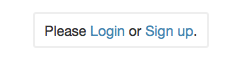
Since I am using new login and registration pages, I need to edit the url destinations on the ‘Login and Signup’ links which appear on the single Question page, and on the Ask page.
Image attached. Please tell me how to change where these links point.
I’ll use Askbug for both English and Arabic Languages
Does Askbug theme support RTL fully?
and does it have Arabic language file?