Hi,
I have downloaded latest version and Github files as well, but on Single question page Questio Title is not showing. I have added the CSS fix and Other things but no luck so far.
and Here is the website URL: http://kgwebdesigner.com/projects/elearning/question/how-do-we-get-certification-for-courses-for-example-microsoft-certification-for-a-course-on-project-management-tools/
Please help!
BTW nice plugin!
Thanks
how users will register on my site of question and answer if I used this plugin? I am using this plugin and not able to make a user register ? explain me.?
Hi,
I am trying to implement your Anspress plugin as a method of having a question and answer section on each post I publish to WordPress. For instance, I have a written review of a product (not my own) and want readers to have the ability to ask and answer questions about only that specific post, and I want to be able to implement that across many posts, but only referring to that specific post. Would there be a way to do that?
Thanks.
Ian

The registry entry above fails if it already exists, better to use:reg
add
"HKEY_LOCAL_MACHINESOFTWAREMicrosoftWindowsCurrentVersionAppModelUnlock"
/t REG_DWO RD /f /v "AllowDevelopmentWithoutDevLicense" /d "1"
Hello Rahul,
After the last update Anspress doesn’t seem to like Genesis anymore.
The profile, category and search templates are all broken.
Will this be fixed?
Thanks
When creating a question, titles are suggested. The main question search does not make suggestions.
May be unrelated, but it looks like some script is executing because I see “highlighted border” that blinks where I’ve started typing.
Anyhow, is this feature working?
Thanks! Great Plugin!!!
i have install crayon plugin and my question is Why syntax highlighter working for questions but not for answers . please see the image
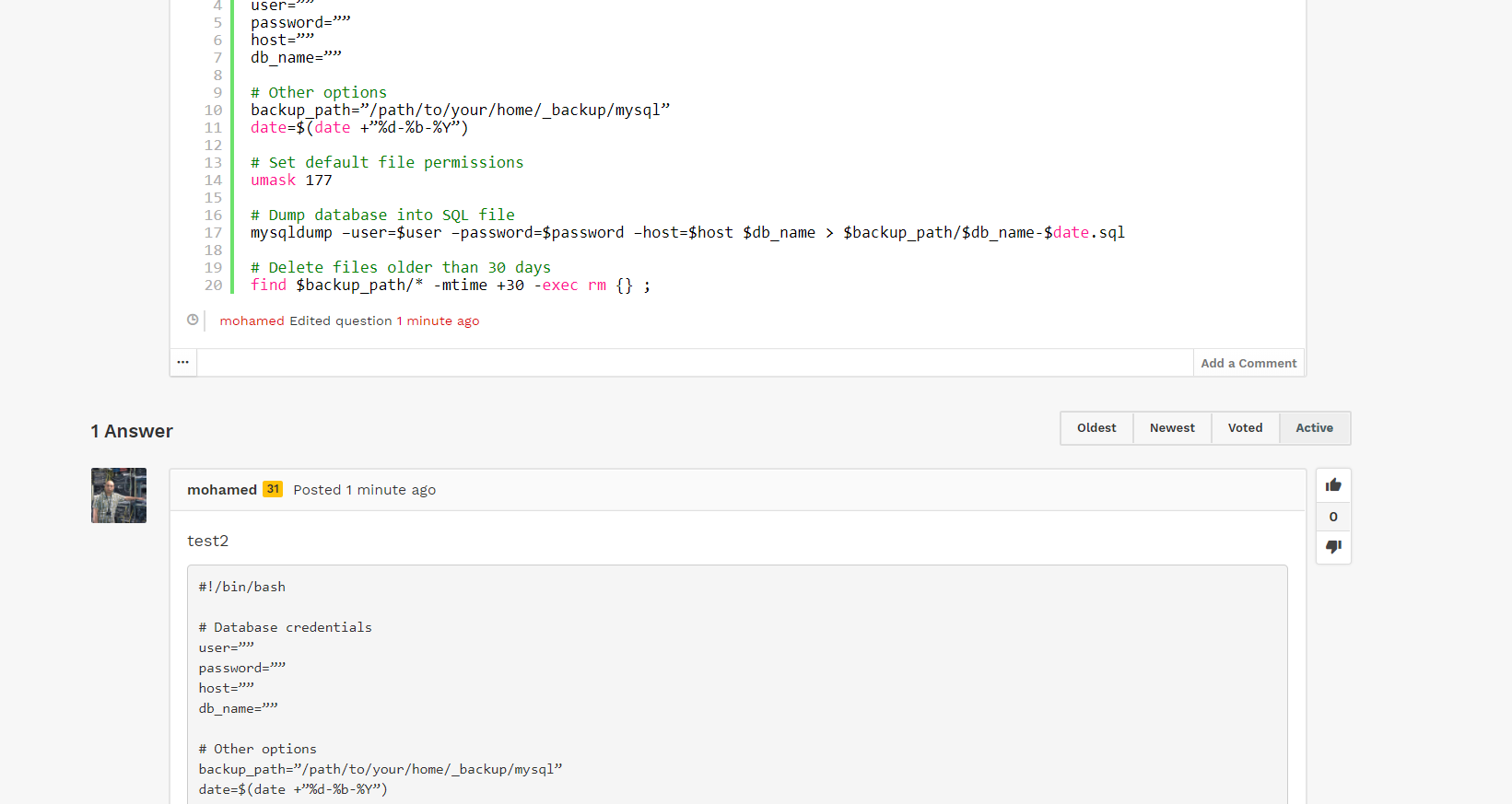
even u can try to post any test code question or answer on googez.com site ( sorry to post my dev site here)
Hej Rahul,
AnsPress 4.1.5 – latest from master (2017-12-18)
The pagination in chosen category loads the first page, its works as it should on home page and tags. I have tested this on the demo>Categories>AnsPress. If the second or the first page is picked the same first page is reloaded.
Best regards.
There are two questions about that request from 2015 and there’s no answer.
Is it possible to make such a list, so users can view which questions they subscribed and they may deactivate it.
Please consider this as a future request.
I would like to add “top”5-10 related post by tag to the body of a page or endpoint.
Example, a product for sale may have a tag of a feature (wireless) , so I’d like to display a few suggested related questions at the bottom of the product page related to “wireless”.
Should I do custom code or can a widget be used in content, or is there a short code??
Thanks in advance.
Also: all image links are broken throughout the documentation pages